JohnJohn 3D StreamDeck
JJSD-02
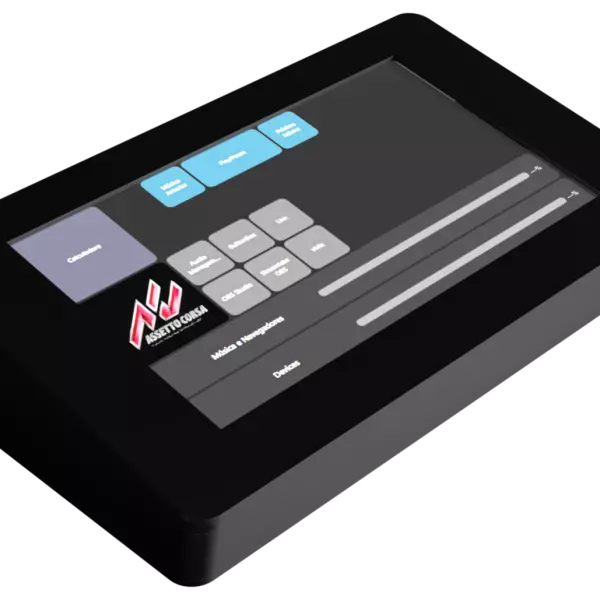
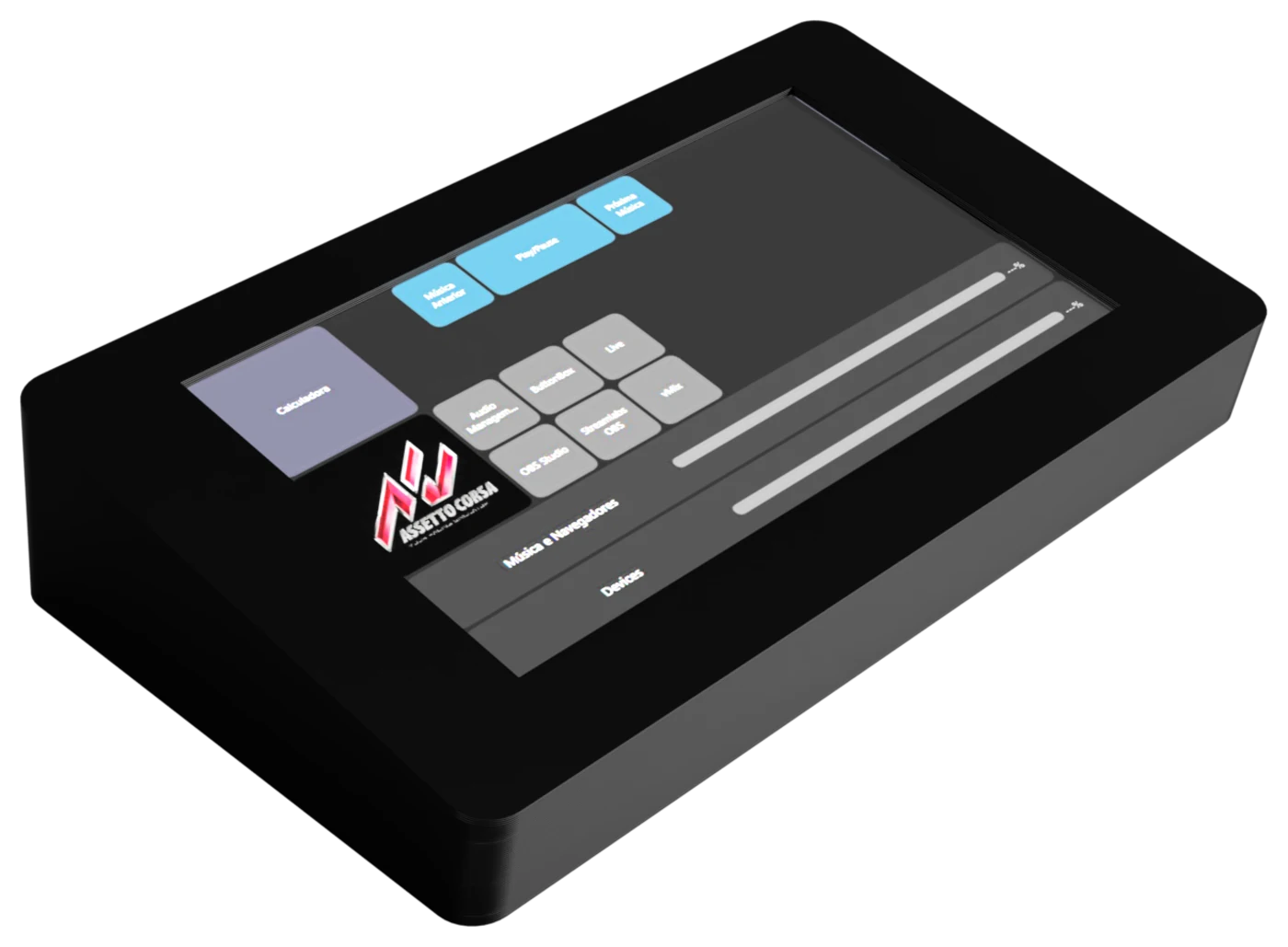
A 7-inch touchscreen on your desk, running a panel you design yourself. Buttons, volume sliders, safety-capped switches, d-pads, your live chat: you drag each piece onto the grid, pick its size, its color and what it does. And the panel splits into pages, switched by a tap on the screen itself.
Tell Me When It Launches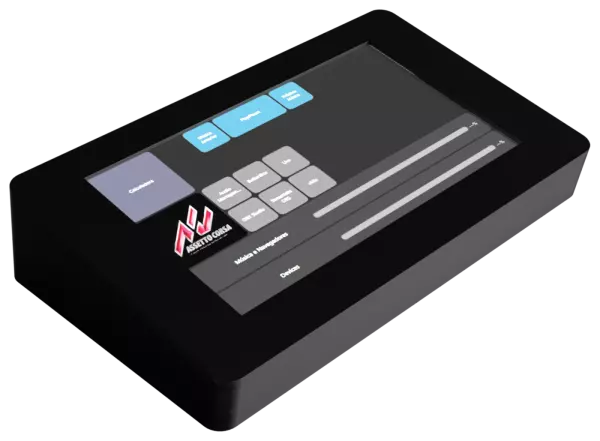
- Official invoice
- Warranty
- Made in Brazil, in-house
- WhatsApp support
Tap It and See What Happens
This is the real JJSD-02 grid: 10 columns by 6 rows, 800 by 480 pixels. The four pages below are example builds. Tap any module to read, next to it, what JJManager would run.
Watch the page-switch modules: tapping one changes the whole screen, exactly like it does on the device. Switches and toggles respond to touch too.
Pick a page and tap any module on the screen.
Executed sequenceThe pages on this web page are illustrative examples and do not ship with the product. Nothing is executed on your computer from here.
All of This Without a Subscription
There are 44 module types in the JJManager catalog, all unlocked in the free version. No trial period, nothing hidden behind a subscription.
Multiple Pages
A 10 by 6 grid, 60 cells per page, and several pages in the same panel. Switching happens on the screen itself.
Full Macros
Keyboard, mouse, text, audio, files and scripts in sequence. With separate actions for press, release and hold.
A Mixing Desk on Screen
Volume sliders per application, per playback channel and per recording channel, plus an equalizer and pitch shifting.
Virtual Controller Included
The JJSD-02 registers a joystick with the system: analog stick, d-pad, buttons and safety-capped switches, right on the screen.
Every Module Your Way
Pick its size on the grid, its background color, its icon, an image of your own and whether the label shows on the screen at all.
It Talks Straight to Your Software
These modules do not fake a keyboard shortcut: they talk to the program through its own official interface. That is why the panel also knows the current state and can show on the screen whether you are live, recording or muted.
The integrations below are free too.
OBS Studio
Scenes, streaming, recording, replay buffer, virtual camera, input mute, source visibility, filters, studio mode transition and any internal OBS hotkey.
Streamlabs Desktop
Streaming, recording, replay buffer, save replay, scene switching and volume, over the Streamlabs protocol itself.
vMix
Cut to inputs, streaming, recording, fade to black, six overlay layers, PTZ camera control and any vMix shortcut function.
Twitch, Kick and YouTube Chat
Your live chat drawn on the panel screen, in real time, taking no space on your monitor.
System Media Keys
Play, pause, stop, previous and next track, working with any player that responds to the media keys.

JJManager: Where the Panel Is Designed
The JJSD-02 is recognised automatically by JJManager the moment you plug the cable in, with no driver to install. The software is where you drag modules onto the grid, pick size and color, configure what each one does and publish everything to the device.
JJManager has a built-in panel emulator: a window showing the page exactly as it will look on the screen, responding to a click the way it would respond to a touch. You can build and test the whole panel before your finger ever touches the device.
The software is free for Windows, Linux and macOS, with an interface in Portuguese, English and Spanish. It is also how firmware and screen-image updates arrive, with no file for you to hunt down.
The panel stores its own nickname in internal memory, so switching computers, reinstalling the system or getting a new IP never makes JJManager lose track of which device is which.
How It Works in Practice
From the first cable to a firmware update, everything happens inside JJManager.
Plug It In, Done
Connect the data cable and the panel shows up in JJManager. No driver, no serial port to pick, no extra installer.
Genuinely Wireless
Set up WiFi over the cable, then leave only the power supply: JJManager finds the panel on the network by itself and keeps publishing pages over it.
Built-in Emulator
Build and test the whole page in a window on your computer, with a click standing in for a touch, before publishing to the device.
Brightness Handled
Without the external power supply the panel enters a low-power mode and dims itself, instead of going dark without warning.
OTA Updates
Firmware and screen images arrive through JJManager, over the cable or over your own WiFi network.
What JJManager PRO Adds
Worth saying plainly: no JJSD-02 feature is PRO-only. All 44 modules, the panel pages, the virtual controller and the OBS, vMix and Streamlabs integrations belong to the free version.
The PRO subscription is purchased inside JJManager itself, paid by card and cancellable at any time. It adds to your setup rather than unlocking what you already bought.
JJVP-PRO Virtual Pad
Six more macro keys and three audio channels, in software, alongside your JJSD-02's screen.
Extra Features per Device
Each JohnJohn 3D device can unlock exclusive advanced functions with PRO active, varying by model.
And More Coming
The PRO feature list grows with every JJManager release, at no extra cost for existing subscribers.
The Whole Panel, No Subscription
The JJSD-02 delivers everything on this page with free JJManager: 44 module types, the multi-page panel, the audio desk, the virtual controller and the OBS Studio, Streamlabs and vMix integrations.
JJManager PRO comes later, when you want to expand the setup beyond the screen.
Specifications
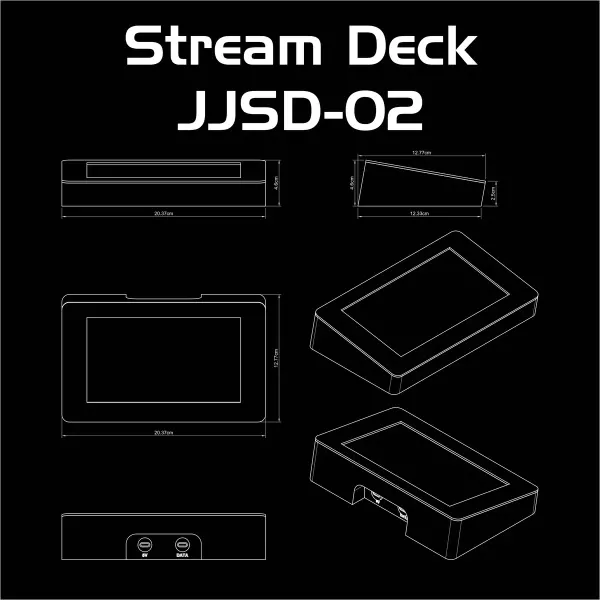
The numbers that decide whether it fits on your desk.
- Screen
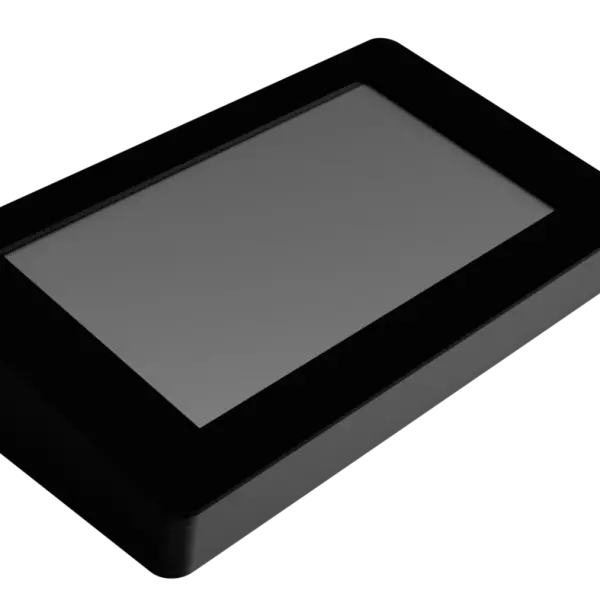
- 7-inch, resistive touchResolution 800x480 pixels
- Module grid
- 10 x 6 cells per page60 slots, with modules from one cell up to the full screen
- Pages
- Several per panel, switched from the screen itself
- Dimensions
- 20.4 x 12.8 x 4.6 cmWidth x depth x height, with the front edge at 2.5 cm
- Connection
- USB-C and 2.4 GHz WiFiWPA2, channels 1 to 13
- Power
- Second USB-C port, 5 VRequired for WiFi and full brightness
- Virtual controller
- Joystick registered with the system, included
- Software
- JJManager, free for Windows, Linux and macOS
- Updates
- Firmware and screen images over cable or network (OTA)
Want One Before Everyone Else?
The JJSD-02 is finished and in production, with published firmware and full JJManager support, but it does not have a marketplace listing yet.
Message us on WhatsApp or join the Discord to find out when it goes on sale and reserve yours.
Support
Looking for information?
Don't let doubts hold you back: join our Discord server or message us on WhatsApp, we'll help you in the best way possible.
Looking for downloads specific to your device? The latest versions are right next to this.
Device downloads
Gerenciador oficial de dispositivos JohnJohn 3D. Configure botões, macros, LEDs, mixer de áudio e muito mais diretamente do seu PC. Suporte a Windows e Linux (x64 e ARM64), com interface em Português, Inglês e Espanhol.
Current version: 2.0.8.0