Guide · Telemetry
Flags in Your Cockpit
On a real track, the flag is waved right in front of you. In the simulator, it becomes a small icon in a corner of the monitor, exactly when you are looking at the braking point.
See the Fix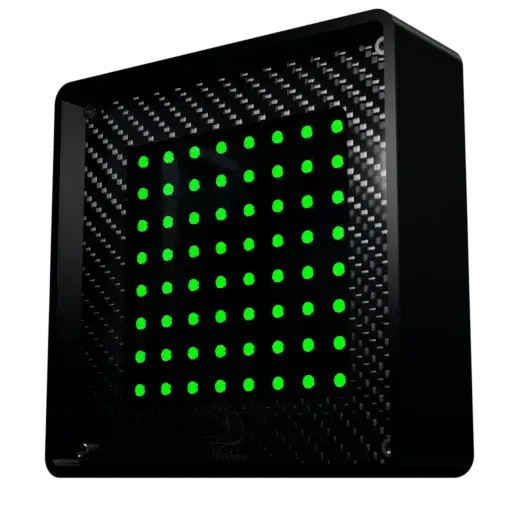
- Official invoice
- Warranty
- Made in Brazil, in-house
- WhatsApp support
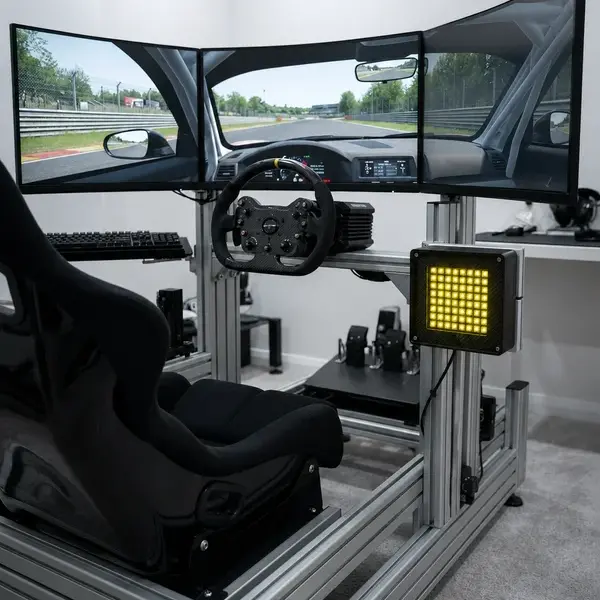
What the Sim Flag Indicator JJIF-01 Shows
An 8 by 8 RGB LED matrix linked to telemetry through SimHub. Availability of each function may vary with the SimHub version and the simulator.
Flags
Yellow, black, blue, white and green, the moment they happen on track.
Spotter
Shows whether a rival is in your blind spot: left, right or both sides.
Gear and Shift Warning
Gear indicator with a built-in shift warning, so you always shift on point.
Car Alerts
ABS, traction control, low fuel and other warnings, right on the LED matrix.
What to Know Before You Buy
What to check before ordering yours.
It Needs SimHub
The JJIF-01 does not work on its own: SimHub reads the telemetry and sends the commands. SimHub is free for basic use.
Works With Dozens of Simulators
Whatever SimHub supports applies: iRacing, ACC, rFactor 2, F1, among others.
VESA 75 Mount
Four holes in the VESA 75 standard, the same as monitor mounts. A 12.2 by 12.2 cm body, with a real carbon fiber front plate.
Want More Data in Front of You?
The Shift Light JJSL-01 handles the shift warning and the Dashboard JJDB-01 brings RPM, lap times and tires on a 7-inch screen.
Frequently Asked Questions
Which simulators does the JJIF-01 work with?
Does the JJIF-01 iFlag work on its own or does it need software?
How do I install the JJIF-01?
What does the JJIF-01 show during a race?
Does the JJIF-01 work on Mac or Linux?
How big is the JJIF-01 and how is it mounted?

Meet the Sim Flag Indicator JJIF-01
Videos of each function, spec sheet and where to buy on the product page.