Sim Racing
JohnJohn 3D Button Box
Ignition, pit limiter, headlights, radio: each function on a metal button within reach, instead of a shortcut lost on the keyboard. And the button LEDs tell you what is happening in the game.
See the Model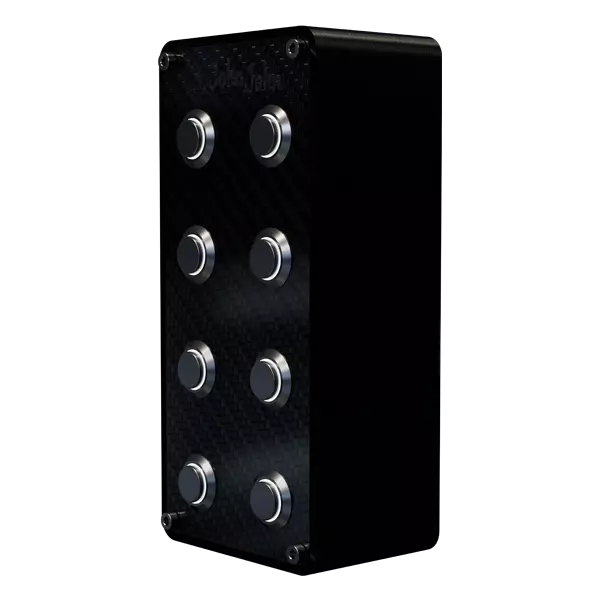
- Official invoice
- Warranty
- Made in Brazil, in-house
- WhatsApp support
In the Catalog
Why Get a Button Box
Mid-corner, hunting for a keyboard shortcut costs tenths of a second.
Every Function on Its Own Button
Engine, pit, lights and radio always sit in the same place, with the feel of a metal button.
LEDs That Warn You
With SimHub and the JJManager Sync plugin, each LED becomes a game warning: ABS, pit limiter, RPM, spotter, fuel.
Plug and Play
The eight buttons reach the system as a USB joystick, straight from the firmware. Games recognize it without a driver.
Built to Last
Printed circuit board, no loose wires, a real 1.5 mm carbon fiber front plate and in-house manufacturing in Brazil.
JJB-Slim Type A in Numbers
What decides whether it fits your cockpit.
- Buttons
- 8 metal, in 2 columns by 4 rows
- LEDs
- 8 white, one per button, individually controlled
- LED modes
- Off, on, pulsing and blinking
- Front plate
- 1.5 mm carbon fiber
- Dimensions
- 73 x 155 x 50 mm (width x height x depth)
- Connection
- USB-A, 2.8 m cable
- Mounting
- VESA 75 bracket (not included), single or paired with another JJB-Slim
- Software
- JJManager, for Windows, Linux and macOS

JJManager: the Software That Comes With It
In JJManager you decide, for each LED, when it lights up and how, and create a profile for every game. With the JJManager Sync plugin, the LEDs start reacting to SimHub telemetry.
Meet JJManagerFrequently Asked Questions
Does the JJB-Slim Type A work with nothing to install?
What is JJManager for on the JJB-Slim Type A? Does it need a subscription?
How do I make the LEDs react to the game?
Are the button LEDs colored?
Does it work on Mac and Linux?
How is the JJB-Slim Type A mounted on the cockpit?
Does it work on PlayStation or Xbox?
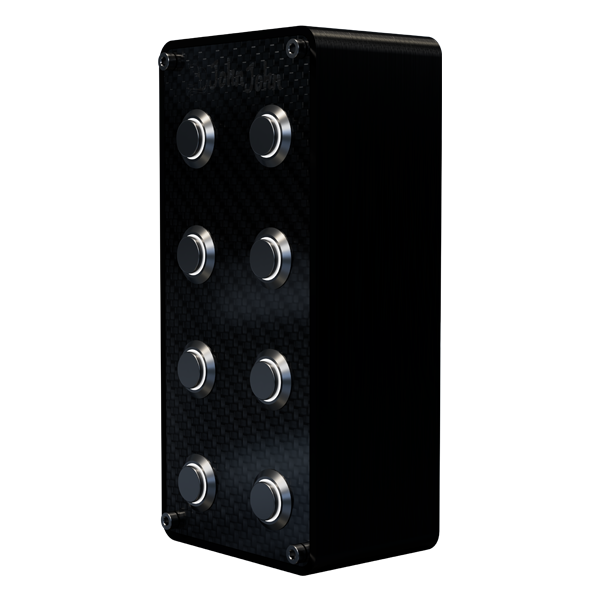
Meet the JJB-Slim Type A
The product page has an interactive LED simulation, photos and where to buy.