Compatibility
Compatible Simulators
iRacing, ACC, rFactor 2, F1: the question is always "does it work with my game?". The answer goes through a single name, SimHub. If SimHub reads your simulator's telemetry, our devices receive it.
See How It Works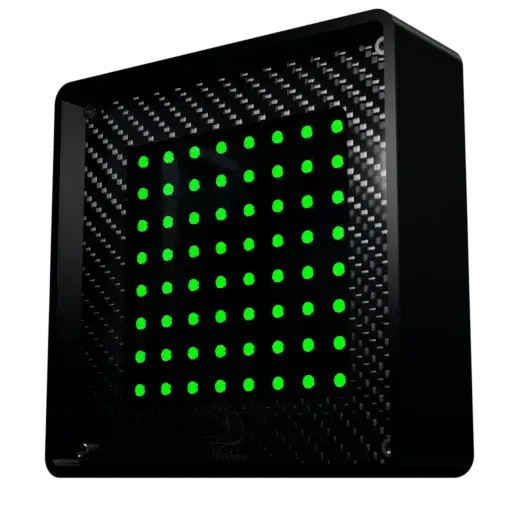
- Official invoice
- Warranty
- Made in Brazil, in-house
- WhatsApp support
Compatible Simulators
Some of the PC games SimHub reads, which therefore work with our telemetry devices.
- Circuit
- iRacing, Assetto Corsa, Assetto Corsa Competizione, Assetto Corsa EVO, rFactor 2, Le Mans Ultimate, Automobilista 2, RaceRoom Racing Experience, Rennsport, Project Cars 2
- Formula 1
- Codemasters F1 series, from F1 2012 to F1 25
- Rally
- EA WRC, Dirt Rally 2.0, Richard Burns Rally, Assetto Corsa Rally, WRC Generations
- Drift and open world
- BeamNG.drive, Forza Horizon 5, Forza Motorsport, Live for Speed
- Trucks and buses
- Euro Truck Simulator 2, American Truck Simulator
Partial list, PC only. The full and current list is on the SimHub website, which today counts 98 racing games. Not every game provides all the data: what each device shows depends on the telemetry the game provides. Game names are trademarks of their respective owners.
What Each Device Shows
The same game data, in different formats in your cockpit.
Sim Flag Indicator JJIF-01
Flags, gear with shift warning, spotter and car alerts on a 64 RGB LED matrix. See the JJIF-01.
Shift Light JJSL-01
Real-time lighting for the cockpit, tied to telemetry data. See the JJSL-01.
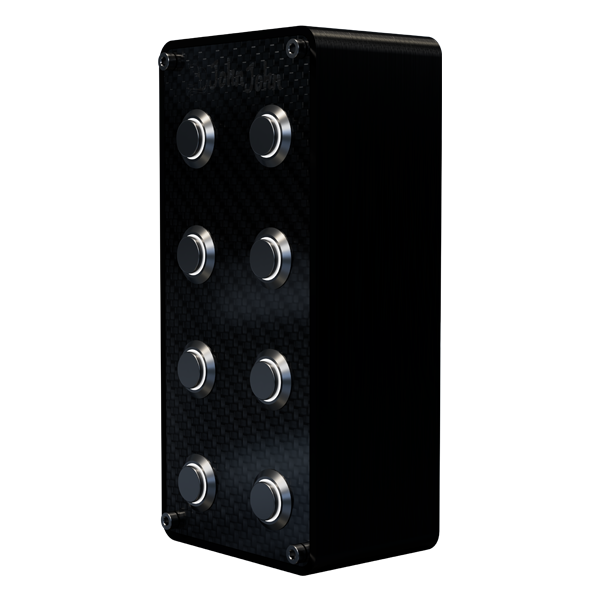
ButtonBox JJB-Slim Type A
Each of the 8 button LEDs lights up according to a game property: ABS, RPM, spotter, pit limiter, fuel. See the JJB-Slim.
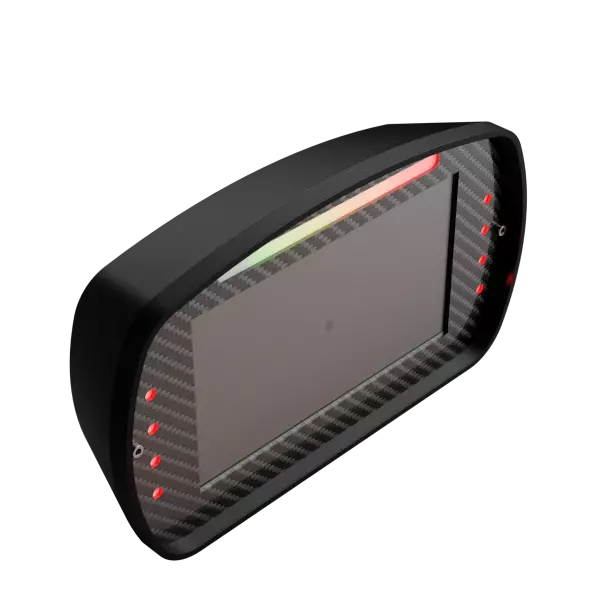
Dashboard JJDB-01
Any SimHub data on a 7-inch screen and 16 RGB LEDs: gear, speed, lap times, temperatures. Coming soon. See the JJDB-01.
JJPI-01 Information Panel
With JJManager PRO, any SimHub property on the LED matrix: RPM, gear, lap, position, delta. See the JJPI-01.
What You Need to Install
iRacing, ACC, rFactor 2 and F1 are trademarks of their respective owners, and SimHub is an independent project. JohnJohn 3D is not affiliated with them.
SimHub
It is what reads the simulator telemetry. Free for basic use, for Windows. Each game is configured inside SimHub itself.
JJManager
JohnJohn 3D's free software, where you choose what each LED or screen shows. Download JJManager.
JJManager Sync Plugin
For devices set up in JJManager, this plugin carries SimHub data to them. The JJIF-01 and the JJSL-01 connect straight to SimHub.
Linux and macOS
SimHub runs on Windows. On Linux and macOS, telemetry arrives over the network: JJManager Sync runs on a Windows computer and shares the data over the LAN.
Frequently Asked Questions
Do the devices work with my simulator?
Does the JJIF-01 work on Mac or Linux?
Do I need software or a driver to use the JJSL-01?
How do I make the LEDs react to the game?
Does the JJB-Slim Type A work with nothing to install?
Does it work on PlayStation or Xbox?
See All Sim Racing Gear
Button box, flag indicator, shift light and dashboard, all tied to your simulator's telemetry.